This website uses cookies to improve your experience. We'll assume you're ok with this, but you can opt-out if you wish. Read More

TL;DR
Welcome to Episode 2 of RP’s MCN Migration Guide!
In Episode 1, we introduced Marketing Cloud Next at a high level and talked about the mindset shift required to work with it. In this episode, we’re shifting focus. We’re not going to talk too much about Marketing Cloud Next itself, but we are going to talk a lot about Data Cloud.
Why Data Cloud? Because it is the underlying system that merges data from Salesforce CRM and your other sources and makes it available to Marketing Cloud Next.
If you’re using Salesforce CRM (SalesCloud), you have contacts, leads, and accounts. All of that data has to be made available to marketing. Contacts and leads must become one object so they can all be targeted by your campaigns. Of course, you want to know which ones are contacts and which are leads, but they have to become available to your systems. And to do that, we use Data Cloud.
Permission Sets and Access Levels
Once you get Marketing Cloud Next from your Salesforce team, you also get Data Cloud (or at least Data Cloud for Marketing Cloud), and it’s usually already set up for you. You don’t have to worry too much about the initial setup. But there are a few things you do need to handle, and assigning licenses is one of them.
If you’re a Salesforce admin and you navigate to your permission sets, you’ll see four Data Cloud permission levels:
Data Cloud Architect:
The admin-level role. Full access to view everything, set up, and do all the admin work in Data Cloud.
Data Cloud Activation Manager:
The second tier. Can manage your overall segmentation strategy, creating active targets and activations.
Data Cloud Activation Specialist: Can create segments and activations, but cannot activate them.
Data Cloud User:
View-only access. Cannot change, create, or manage anything.
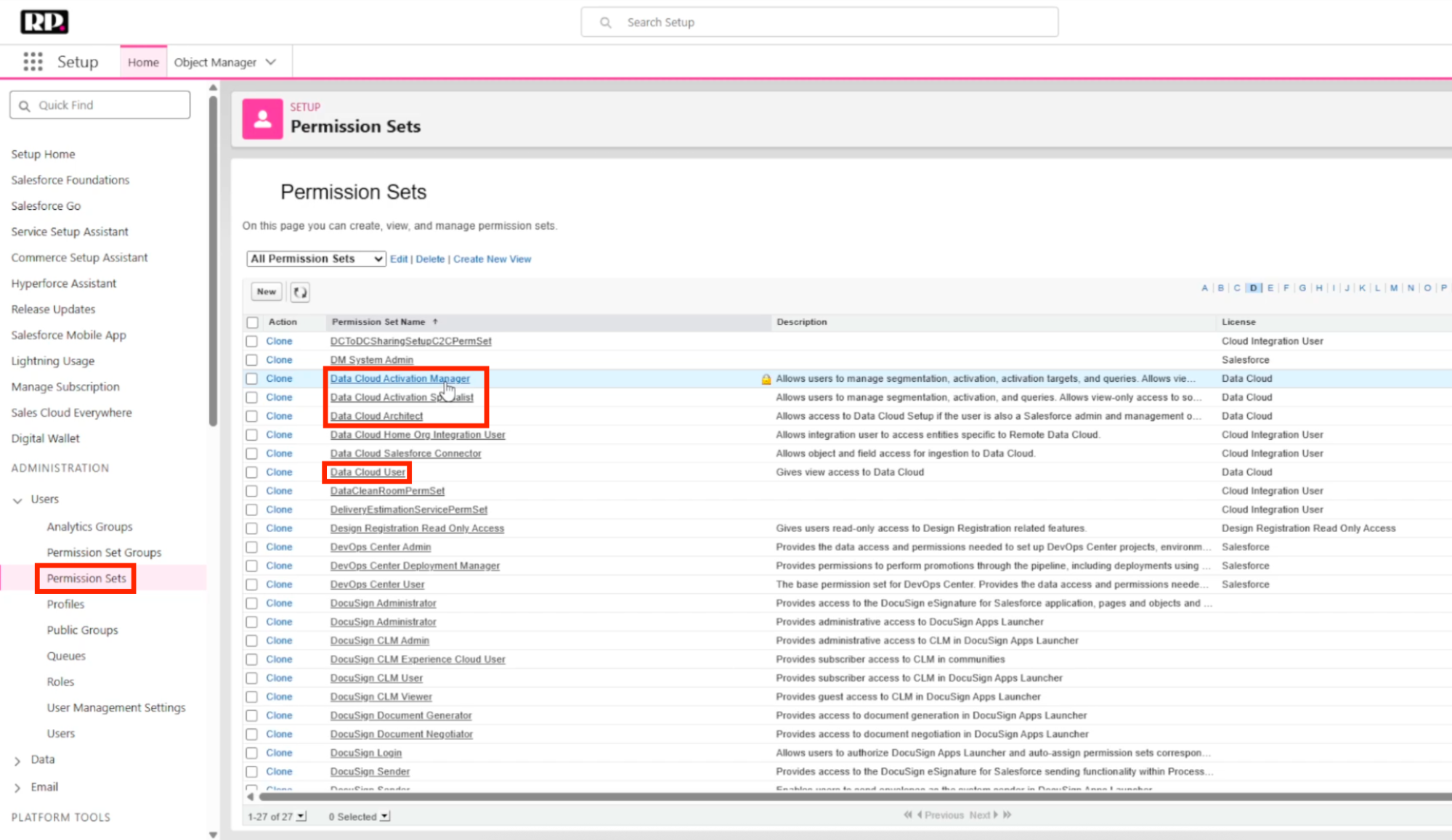
(Data Cloud permission sets in Salesforce)
Data Spaces and Data Sources
After you have your access sorted, you’ll want to understand Data Spaces.
You can think of a Data Space as a segmentation of your data. Your Data Cloud instance is still one unified system, but Data Spaces manage how the data goes out. The data comes in from raw sources like your CRM and website, and it goes out to different places. Those output destinations are managed by Data Spaces.
For example, you can have Data Spaces for regions: one for North America, one for LATAM, one for APAC. Because of that, those teams can treat the data differently, segment it differently, and create different campaigns without needing access to each other’s Data Spaces. The North America team only sees the North America Data Space, while the APAC team only sees theirs, and so on.
In many cases, you’ll just have one: the default Data Space. But it’s good to know the option exists as you scale.
To access your Data Spaces view, look for “Open Data Spaces Setup” from the Data Cloud home page.
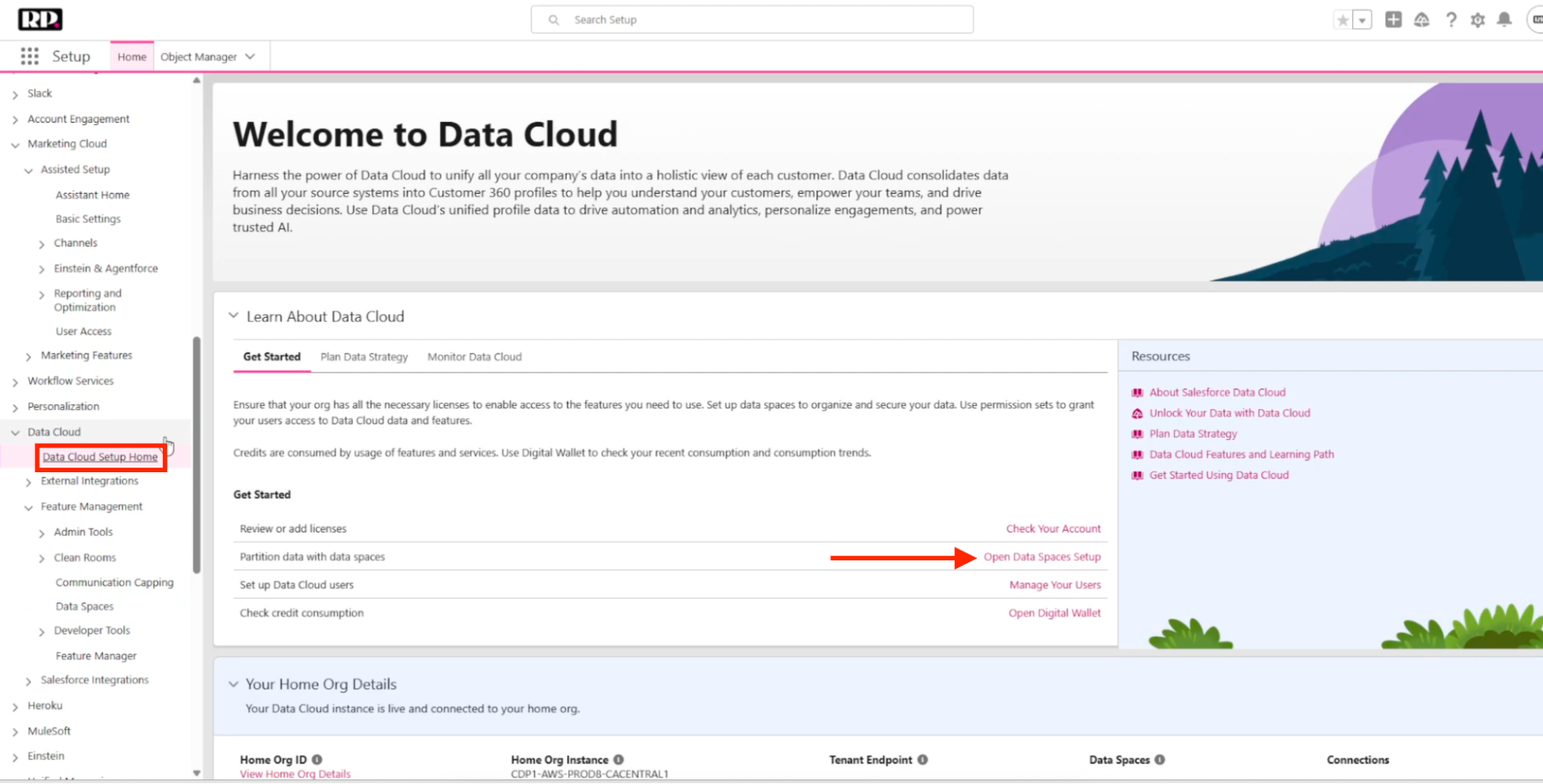
(Data Cloud Home page)
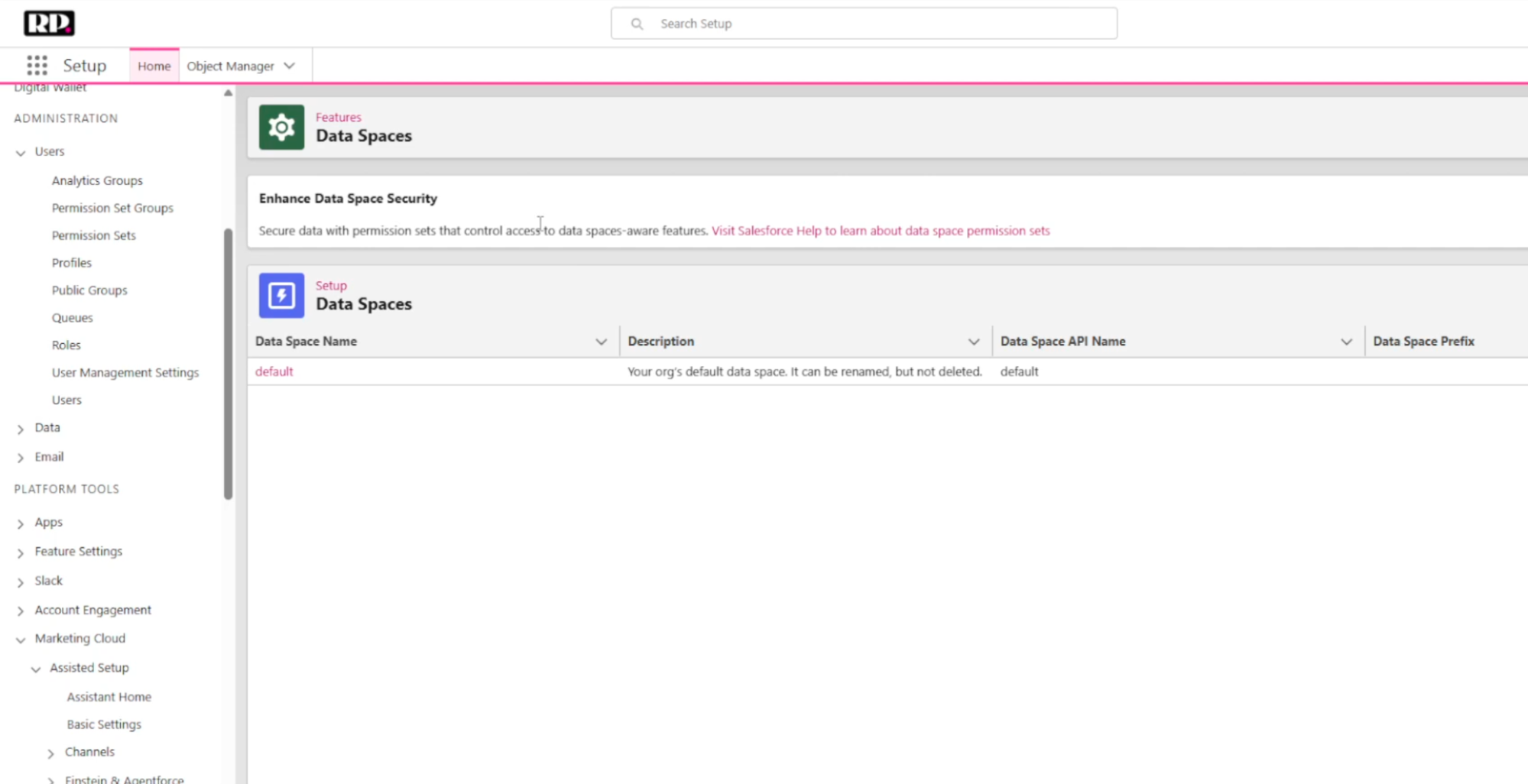
(Data Spaces view)
You can also connect different data sources from this area. You can connect your Salesforce organization, Marketing Cloud Engagement, Marketing Cloud Personalization (for e-commerce), website, mobile app, or use the API. There are a bunch of different connections available.
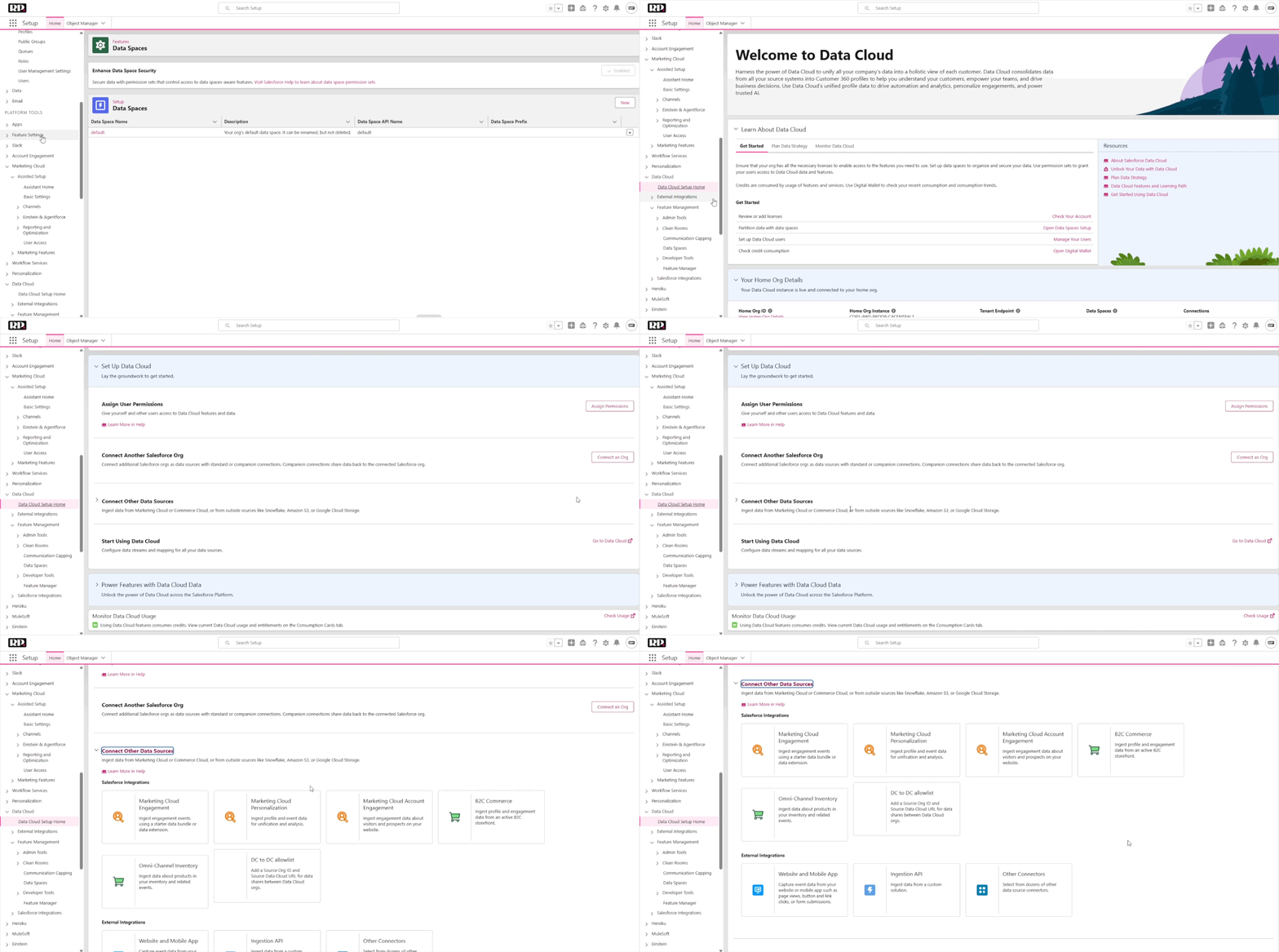
(“Connect Other Data Sources” in Data Cloud)
In most cases, the CRM connection already comes in by default, so you don’t have to worry about it. But if you did need to connect one, you would click “New,” create a Salesforce connection, set up the connection alias, and follow the steps to authenticate with your Salesforce instance.
The Core Data Flow: Data Lake Objects → Data Streams → Data Model Objects
This is the most important concept in this episode, and it’s worth spending a little extra time on.
Data Lake Objects are your raw data. They come from your different sources (like your CRM) every single day. They are connected, and they come in as raw data that you cannot use directly in any sort of activation.
Data Streams are the mapping layer. They connect Data Lake Objects to Data Model Objects by mapping fields from one to the other.
Data Model Objects are the output. This is the usable, structured data that your campaigns and segmentations will actually work with.
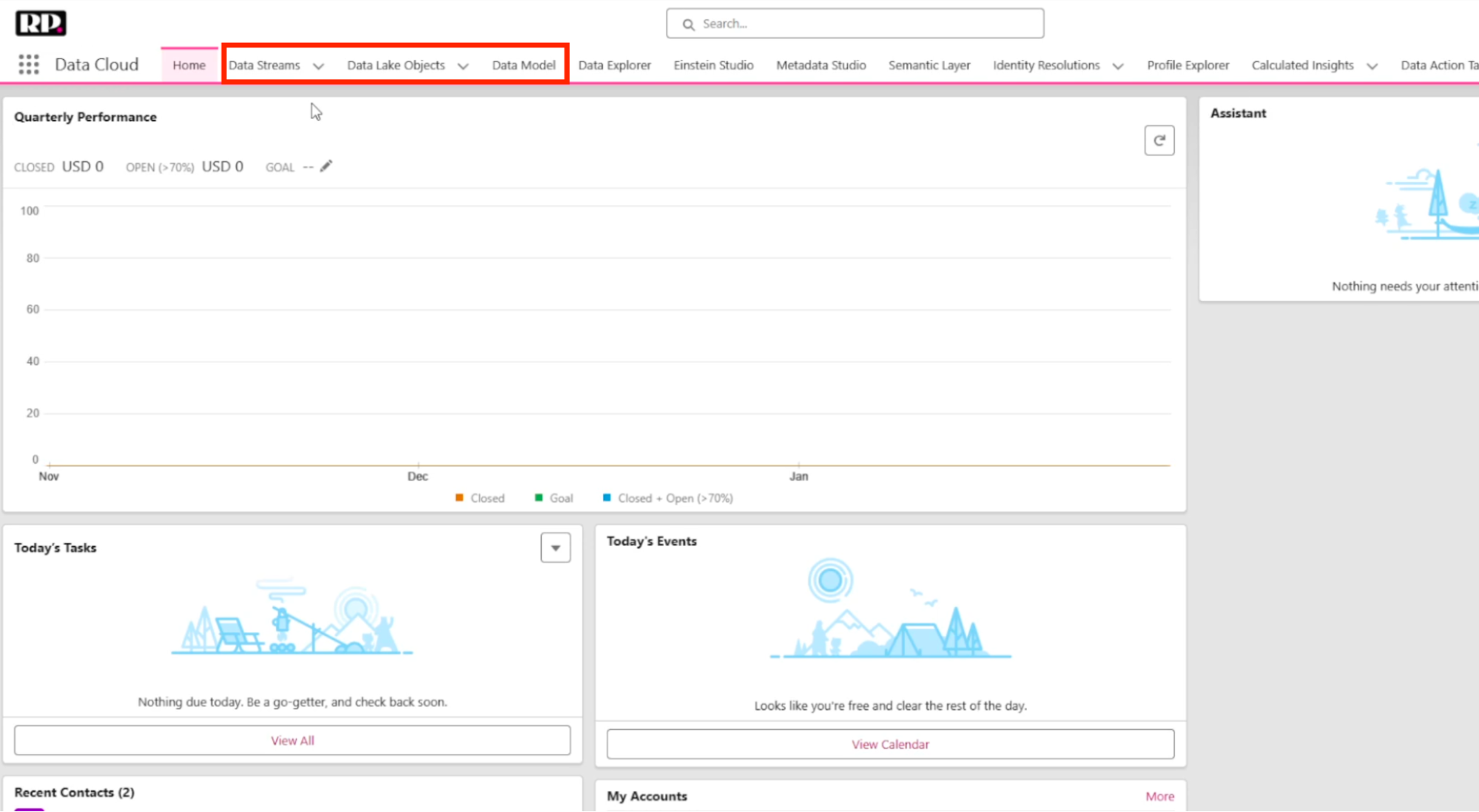
(Data Cloud navigation showing Data Model, Data Lake Objects, Data Streams)
Here’s a concrete example. Your accounts come in from the CRM as a Data Lake Object. If you look at the Data Stream connected to that object, you’ll see how fields are mapped. The account description in the Data Lake Object, for instance, maps to the account description in the Account Data Model Object.
But it’s not always a one-to-one mapping. Sometimes you’re pointing fields from one object to several different output objects. An account might map some fields to the Account object, but others to Contact Point Address or Contact Point Phone. This flexibility is what makes the system powerful, but it’s also what can feel confusing at first.
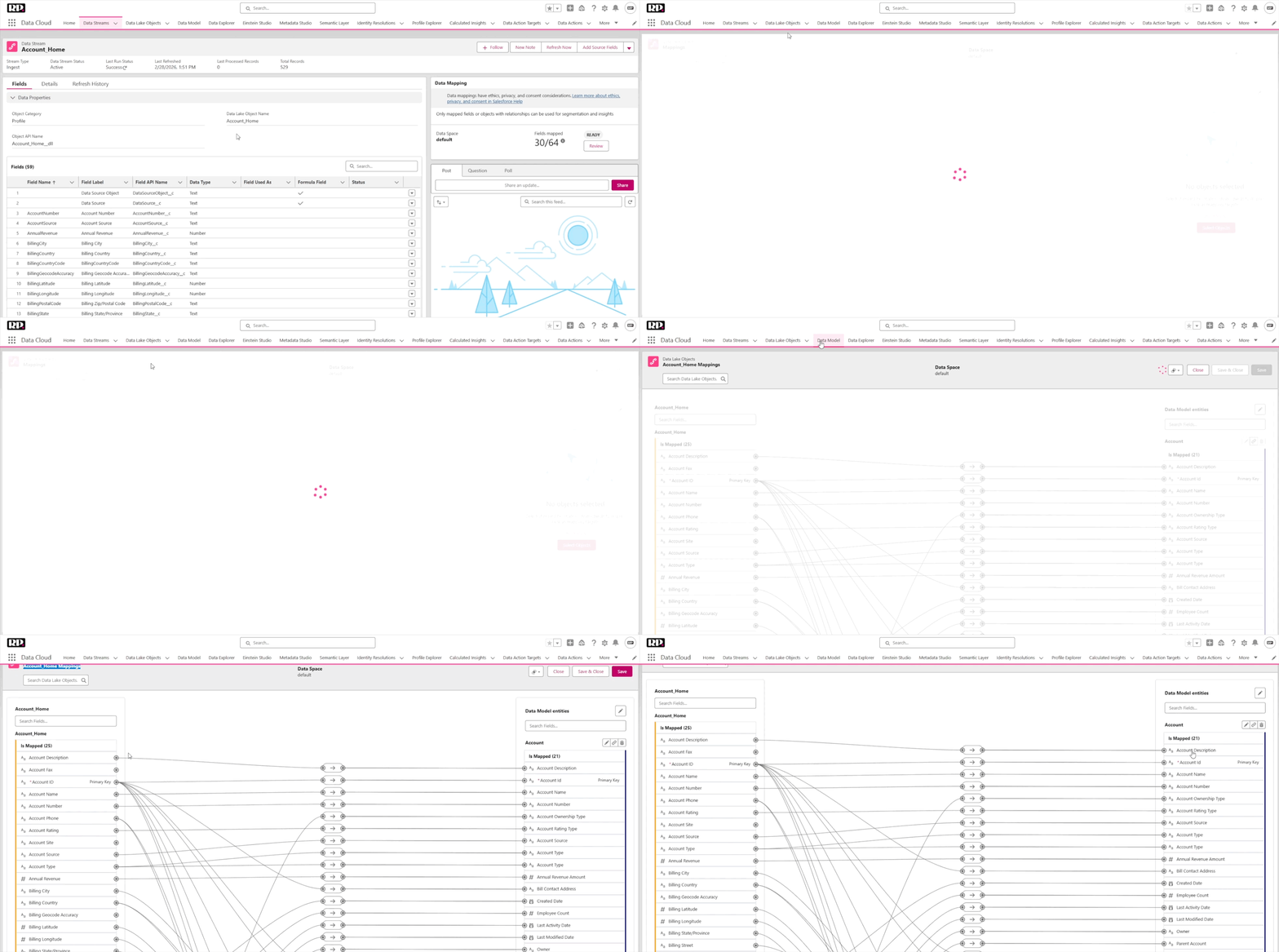
(Navigate to Data Stream mapping view)
Mapping Contacts and Leads to Individuals
Here’s where things get really important for your day-to-day work in MCN.
The Individual object is the one you’re going to work with inside of Marketing Cloud Next. You won’t be using leads or contacts directly. Instead, you’ll use one unified object that brings everything together.
To get there, both contacts and leads have to be transformed into individuals. If you open the contact data mapping, you’ll see that the contact is mapped to several Data Model Objects at once: the Account Contact data model, Contact Point Address, Contact Point Email, and most importantly, the Individual.
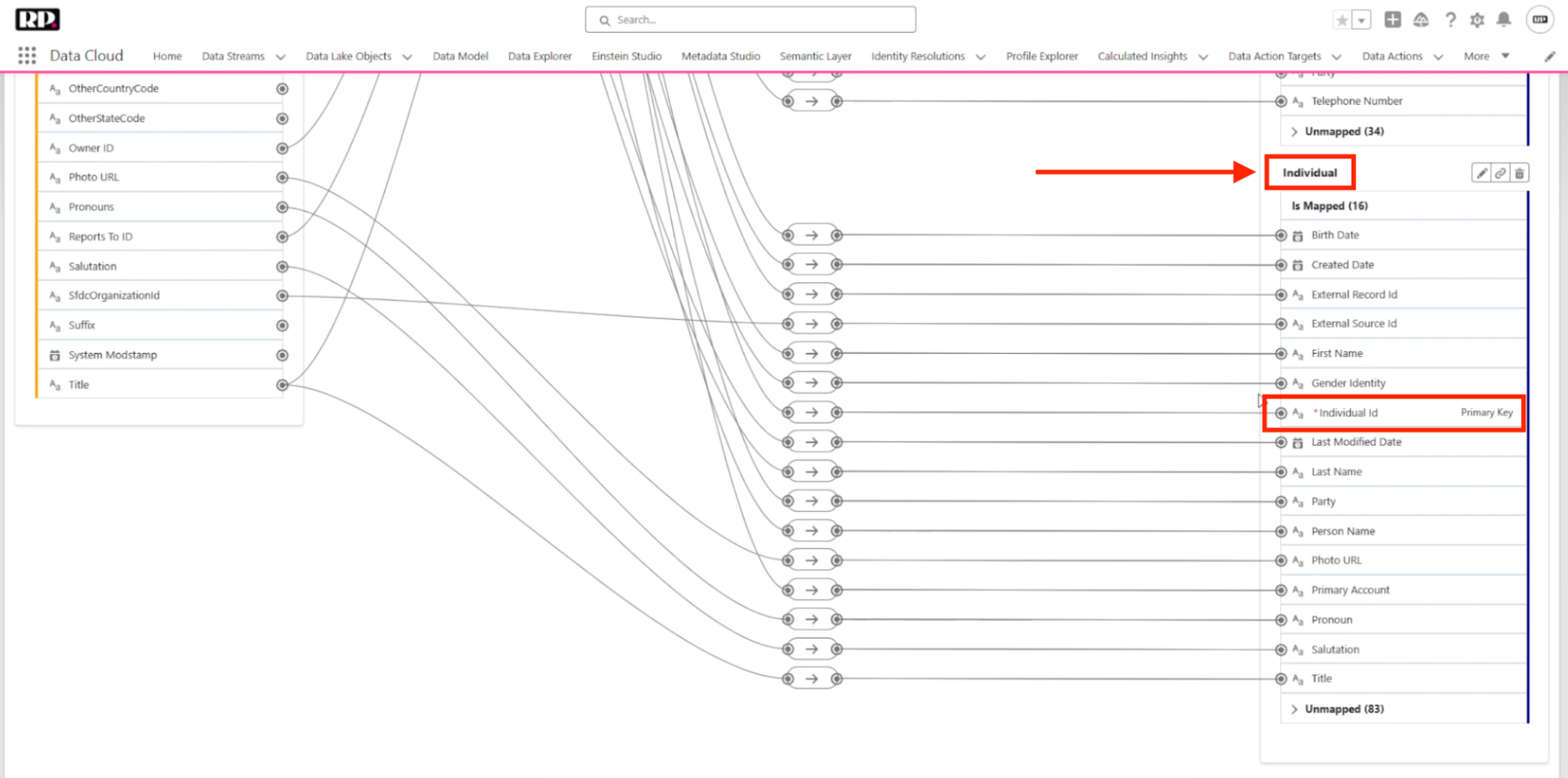
(Contact data mapping showing connections to the Individual object)
The mapping screen is also where you can customize field connections. For example, if you had a field like “Suffix” on the contact that wasn’t mapped to the Individual, you could connect it by dragging and linking the two fields. And if you made a mapping you didn’t want, you can delete the connection just as easily.
The lead object works the same way. It gets mapped to Contact Point Address, Contact Point Email, Contact Point Phone, Identity Match, and the Individual. So now you have individuals being created from contacts and individuals being created from leads. Naturally, some of those will be duplicates. Some leads may have already been converted to contacts.
This is where Identity Resolution comes in. Identity Resolution handles the deduplication between individuals and also between accounts, making sure you don’t end up with a bunch of duplicate records in your system. We’re not going to go deep on Identity Resolution in this episode. It will get its own full video and article. Just know that this is where it lives and why it matters.
Getting Comfortable with Data Cloud
One more tool worth mentioning is the Data Explorer. If you want to explore a specific object, you can search for it here and get a clear view of how it works, what columns it has, and see a few of your actual records. It’s a good way to poke around and understand your data.
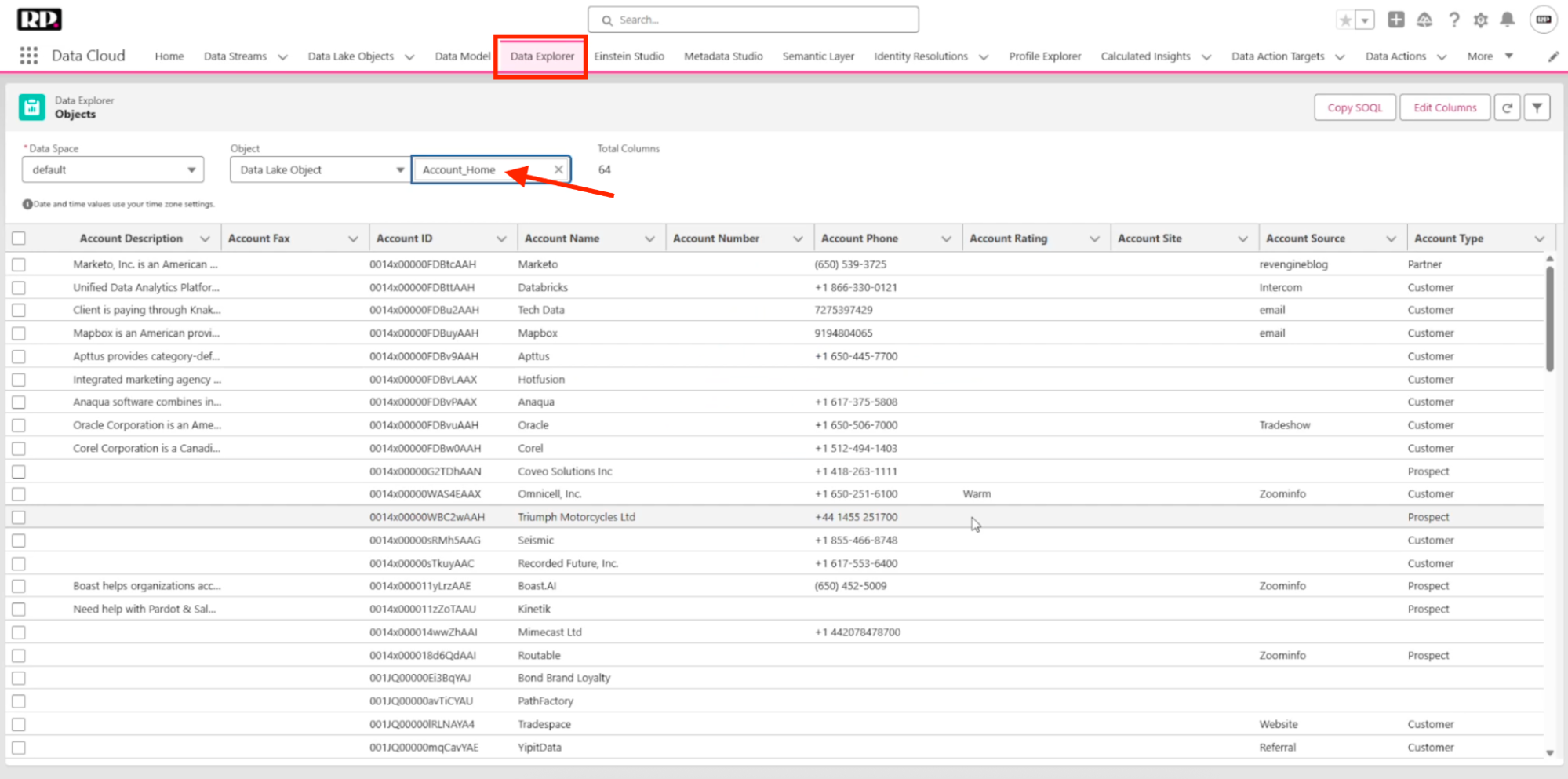
(Data Explorer showing an account object)
Data Cloud is one of the more challenging concepts when it comes to understanding how Marketing Cloud Next works. As marketers, we’re usually not used to dealing with data lakes, data streams, and all these different areas. And the good news is that setting up and working with Marketing Cloud Next doesn’t require you to fully understand every detail of Data Cloud.
But knowing this foundational concept – the data comes in as Data Lake Objects, it goes out as Data Model Objects, and those two things are connected via Data Streams – is important. It will help you create more interesting objects, connect your data better, and build more powerful segmentations for your campaigns.
Don’t be afraid to get your hands dirty. Most of it comes already set up by default, but you can mess around. You can see how things work. Lucas himself had to create three different identity resolutions and struggled with data streams in the beginning. There were connections that didn’t make sense at first. But after a while, you start getting it.
What’s Coming Next
In the next episode, we’ll show you how to set up MCN for the first time, including licensing, provisioning, and permissions for all users!
P.S. If you are feeling confused or overwhelmed when navigating through any of the steps in this article, feel free to reference the video above for an in-depth walkthrough.
This website uses cookies to improve your experience. We'll assume you're ok with this, but you can opt-out if you wish. Read More